Hancom Office
Create, analyze, edit, and utilize documents in one place
Hancom Office apps work seamlessly together to reduce repetitive tasks and eliminate unnecessary steps,
ensuring an uninterrupted document workflow.
Now, you can focus solely on what to write.

With a new neumorphic UI and office engine,
enjoy a faster, more comfortable work experience across devices and environments.
- Neumorphic UI/UX
- New office engine · Cross-platform support
- Supports 13 languages, including Korean
A more intuitive and refined experience
A new neumorphic design enhances the familiar, consistent interface.
Soft curves
Soft curves replace sharp UI edges, giving the interface a cleaner look.

Simple icons and subdued colors
Monochrome designs for 94% of icons and 34% of gallery items reduce visual noise and create a comfortable viewing experience.

Reorganized menu and toolbox groups
Features are regrouped by purpose, shortening the path to the tools you need.

A consistent, faster document experience everywhere
Modular components and a unified engine improve stability and compatibility across platforms.

Hwp, just the way you know it
Hwp is a word processor for intuitive document creation and editing on Windows. The new version reduces repetitive tasks and makes editing more efficient.

Multiple document windows for an uninterrupted workflow
NEWOpen the same document in multiple windows to compare and edit content, including across dual monitors.
Multi-selection and content reuse from other documents
NEWSelect multiple text ranges and edit them at once, or bring content from another document into the current one. Reduce repetitive copying and pasting to make editing easier.
LaTeX equations for professional documents
NEWSupports LaTeX equation input, a standard in academia and engineering, to accurately express even complex formulas in Hwp.
- Multiple document windows
- Multi-selection
- LaTeX equations
- Layout editing
- Table formatting
- Document security
Cell, make complicated data simple
Cell is a versatile spreadsheet program that supports a wide range of calculations and effective data management. Even with large volumes of data, intuitive visualization and precise validation tools make complex data simple to understand.

Data analyzed by AI
NEWAI analyzes complex spreadsheet data on its own and instantly converts it into a logical, text-based Hwp document.
Visualize large volumes of data
NEWApply table and pivot styles suited to each data type to visualize your analysis and create well-structured visual documents.
More precise equation editing
NEWMath options let you fine-tune each operator, making equation editing more precise and convenient.
- AI data analysis
- LaTeX equations
- Math options
- Pivot styles
- Chart visualization
Show, deliver your message simple, but with visuality
Show is a presentation program that makes your message stand out with vibrant background designs and animations. By reducing unnecessary editing time, it lets you focus solely on your story and delivery.

More convenient document creation
Create polished presentations with a variety of layouts and diagrams, even without design experience.
Automation that saves editing time
Automatically resize objects containing text to reduce manual adjustments.
Slide shows that let you focus on presenting
Animations, transitions, and presenter tools let you focus entirely on your story.
- Design gallery · Templates
- Diagrams
- Automatic object resizing
- Animations · Transitions
- Presenter tools
Word, make your document eloquent
Word is a word processor that follows the Office Open XML standard for excellent compatibility. The new version focuses on visual comfort to reduce eye strain and improved compatibility.

Flexible object placement and web video embedding
Freely place shapes and images in front of or behind text, and play videos right in your document without switching to a browser.
Dark mode extended to the editing screen
NEWDark mode extends to the document editing area, keeping your eyes comfortable during long work sessions.
More precise equation editing
NEWMath options let you fine-tune each operator, making equation editing more precise and convenient.
- Dark mode
- Web video embedding
- Math options
PDF, easy to use in various environments
PDF is a program that lets you comfortably view PDF documents in a way that suits your environment and convert them to other formats. You can convert PDF documents to office documents or image files.

Office document and image conversion
Convert PDFs to office documents or export them as images for reuse in the format you need.
View options tailored to your environment
Freely adjust the screen layout and page view to suit your environment, making even long documents comfortable to read.
Review with annotations and sticky notes
Add annotations and sticky notes to PDFs to keep review feedback in one place.
- Office document conversion
- Image export
- View options
- Annotations
- Sticky notes

What makes Hancom Office
special now
Hancom Office
The tools you know, with more refined editing
Reduce editing fatigue and handle everything from repetitive tasks to external documents quickly and accurately.

Hancom Assistant
An AI-enhanced document workflow, from first draft to completion
Start with a single prompt and finish with a natural-language conversation.

Hancom Office Addons
Add the features you need and work faster and smarter
A wide range of extensions boosts productivity across every step of office document creation.

Easier document work
with Hancom Assistant
These features require Hancom Assistant, purchased separately or as part of a bundle.
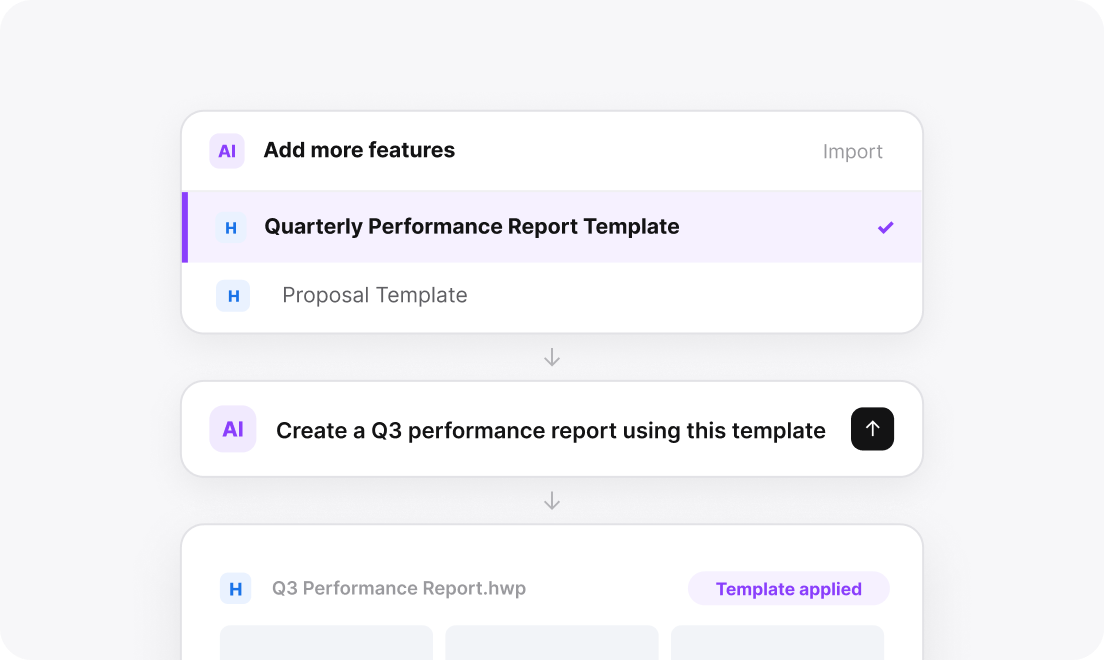
Prompt-based drafting
Save templates for frequently used documents, such as reports and proposals, as AI templates. Then generate a document in the saved template with a single prompt.
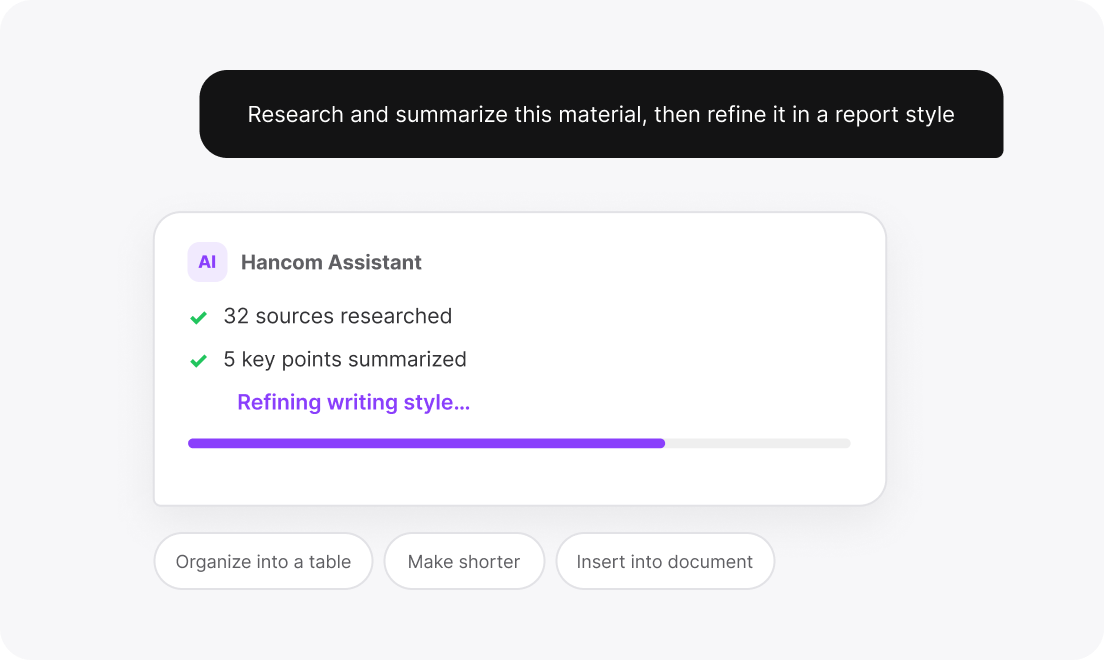
An AI workflow driven by natural language
From researching and summarizing extensive material to refining sentences in context and making detailed edits, handle every step through natural-language conversation.
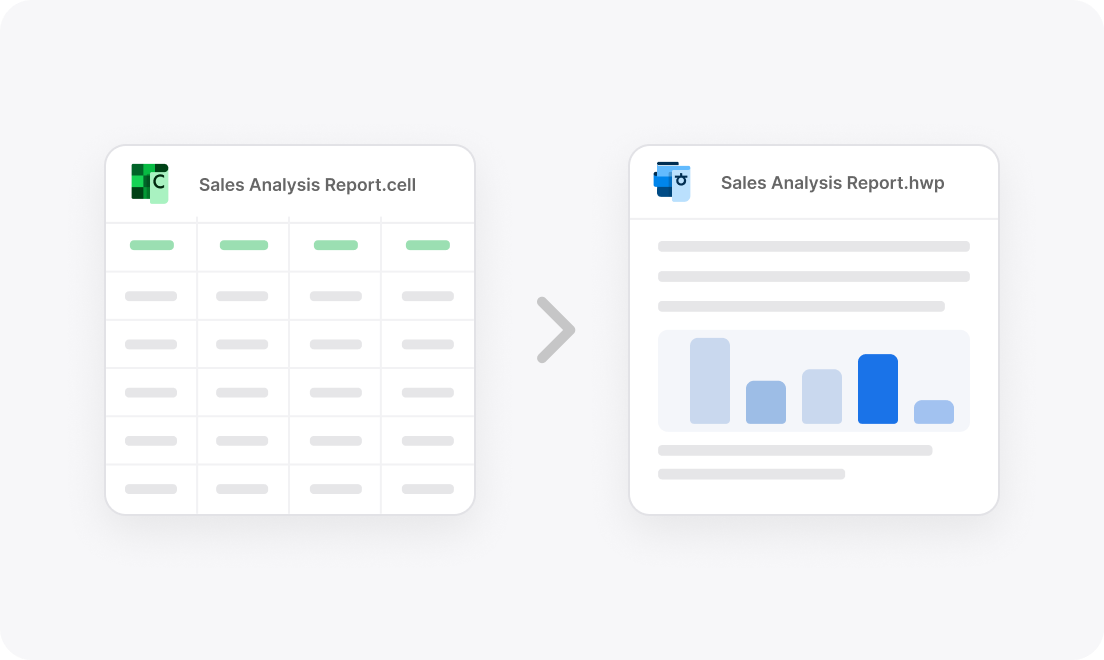
Turn Cell data into Hwp documents at scale
Analyzes complex numbers and data in spreadsheets and instantly converts them into logical, text-based Hwp documents.
Services that connect seamlessly with Hancom Office
 Go to Addons
Customize your office apps
with Addons- AI-powered proofreading, academic paper search, and speech-to-text conversion
- Install and use features tailored to your needs
- Add the features you need to customize your office apps
- A growing range of partners
 Go to HancomDocs
The same documents anywhere,
connected through HancomDocs- Save documents to the cloud with automatic sync across devices
- Continue working on the latest version of your document on a PC or mobile device
- Share links to collaborate more easily
Addons partner services






More partners are joining.

Hancom Office SDK
Provides an SDK with the features needed to develop custom office software.
How do I purchase Hancom Office?
Choose a product based on your user type and whether you need Hancom Assistant.
AI bundle
 Hancom Assistant
Expand your document workflow with AI.
Home and student
The full AI-enhanced document experience for individuals and families
- AI Agent workflow
- Automatic document generation with AI templates
- Data integration between Hwp and Cell
Enterprise
Hancom Assistant bundled with an enterprise-wide license
- AI Agent workflow
- Automatic document generation with AI templates
- Data integration between Hwp and Cell
Are you purchasing for a business, public agency, or educational institution?
Our representatives will help you find a license that fits your organization's size and deployment needs.
Select Buy Now on a product card to see options such as downloads, product keys, USB drives, and the Hwp Pack.
Here's who chooses
the AI-bundled edition
AI templates
Those who find it tedious to write frequently used documents like reports and proposals from scratch every time

Data Report
Those who want to combine content from multiple documents with data into a single, complete report

AI Agent
Those who want to let AI handle research and summaries so they can focus on organizing and editing

Document Review
Those who want to review documents such as contracts and academic papers directly within the office app

Do you need
Hancom Office Viewer?
Frequently asked questions
For more details, contact customer service at 1566-5192 or visit the support center.